
Logo & Variants
A shield-and-checkmark icon paired with a clean wordmark in Ubuntu Medium. Trust, protection, verified compliance.
Primary Variants
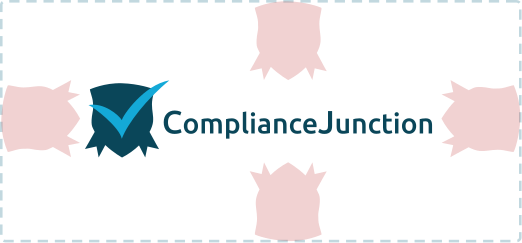
Clear Space
Always maintain a protected area around the logo where no other text, images, or graphic elements may appear. The minimum clear space on all four sides equals the height of the shield icon. This ensures the logo remains legible and visually distinct at any size.
Usage Rules
✓ Correct
Use approved variants on appropriate backgrounds. Respect clear space. Keep proportions intact.
✗ Incorrect
Never stretch, rotate, recolor, add effects, or place on busy/low-contrast backgrounds.
Colors & Tokens
Professional blue family with teal accents. Trust, clarity, healthcare authority.
Primary
Supporting
Neutrals
Color Scales
Usage
- Blue #066AAB — CTA buttons, active links, primary interactive elements, header accents. Use Blue 300/400 for hover states and lighter accents.
- Teal #7EBEC5 — Badges, tags, decorative accents, card borders, secondary CTAs, illustrative elements
- Blue 800 #042D48 — Hero backgrounds, dark overlays, footer backgrounds (from the Blue scale)
- Muted Teal #99BAC5 / Light Teal #C2D8DF — Alternate section backgrounds, card backgrounds, subtle dividers
- Red #D63637 — Errors only, alert states, breaking-news badges. Never decorative.
- Neutrals — Dark #2D2D2D for body text, Mid #505050 for secondary text, Light #8C8C8C for captions and meta
Semantic Tokens
| Token | Role | Value |
|---|---|---|
--color-background | Page | #FFFFFF |
--color-surface | Cards | #F5F7F8 |
--color-accent | CTAs | #066AAB |
--color-accent-secondary | Links | #3A9DA6 |
Typography
Ubuntu for headings. Source Sans Pro for body. Both from Google Fonts.
Heading
Body
Scale
Composition
Tone of Voice
Professional and knowledgeable. Accessible enough to make complex regulatory topics approachable.
Authoritative
Deep knowledge backed by accreditation and real-world case studies.
Accessible
Complex regulatory language translated into clear, actionable guidance.
Trustworthy
Trust earned through accuracy, consistency, and transparency.
Practical
Compliance requirements connected to everyday healthcare scenarios.
Guidelines
✓ Words We Use
- Accredited, certified, compliant
- Protect, safeguard, secure
- Empower, enable, streamline
- Clear, straightforward, practical
✗ Words We Avoid
- Jargon without explanation
- Fear-based scare tactics
- Overly casual tone
- Hyperbolic marketing language
Imagery
High-end commercial photography. Real healthcare professionals. Natural light, warm tones, editorial quality.






Photography Rules
✓ Correct
Natural window light. Warm skin tones. Real healthcare settings. People as primary subject. Shallow depth of field.
✗ Incorrect
Generic stock. Heavy filters. Artificial poses. Cold clinical lighting. Overly staged compositions.
Icon System
Phosphor Icons — a flexible, consistent icon family. Light weight for brand use, with Regular available for UI elements.
Library
Source: phosphoricons.com
Primary weight: light (stroke width 1.5) — used across marketing, brand, and product surfaces.
Secondary weight: regular (stroke width 1.5–2) — permitted for smaller UI contexts (nav, toolbars) where the light weight loses clarity.
Never use bold, fill, or duotone weights in brand contexts.
Size Standards
Color Rules
On light/white backgrounds: Blue #066AAB
On dark backgrounds: White #FFFFFF
Never multicolor. Never grey.
Icon Library — Light Background
Compliance, HIPAA
Training, CEU
Analytics
Teams, Groups
Certificates
E-Learning
Verification
Renewals, Deadlines
Cybersecurity
Healthcare
Icon Library — Dark Background
Usage Rules
✓ Correct
Always use Phosphor Icons from phosphoricons.com. Use light weight by default. Consistent visual weight across pages. Vertically centered when inline with text.
✗ Incorrect
Never mix icon libraries. Never use filled/bold/duotone weights in brand contexts. Never scale below 16px. Never use icons from other sets (Lucide, Heroicons, etc.).